

Icon
Design

CATEGORY
Design Ops
MY ROLE
Product Designer
TEAM
2 Product Designers
💃🏼 Gayatri.G

What did I do? 👩🏻💻
Audit
Iconography
Iconography Guideline ✏️
Process I followed ✏️
Thank you



Specifications & Rules

Corner Radius
2px
Stroke Weight
1px, 1.5px, 2px
Filled
Solid color

Layout
To ensure consistency we utilize a grid.
Two Tone
1px, 1.5px, 2px

End Points
Sharp, Rounded

Square
Circle

Vertical Rectangle

Horizontal Rectangle
Keyline Shapes
Keyline shapes are derived from the grid, providing a foundation for consistent visual proportions across all product icons.

Icon Delivery
Follow these specs for the best icon handoff for development

Convert Stroke to Path
All strokes must be outlined to path.

Colors
Make sure all colors are solid not transparent.
Stroke Positioning
Make sure to have the stroke in the center position.

No gradients
Gradients don’t transfer well for icons.

Layering
When subtracting shapes make sure the cut is in the center of the outlined stroke to avoid color bleed.
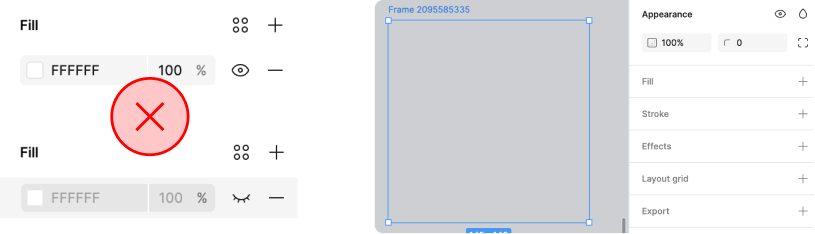
Clipping Mask
When exporting make sure to delete not hide the art board color.

Transparent icons
When subtracting shapes make sure the cut is in the center of the outlined stroke to avoid color bleed.
Final test check

Icon check in illustrator
Each type of icon have have 1 layer each.
Basic Icon Creation

Pick icons from existing VN library
These icon needs to be standardised to a unified style
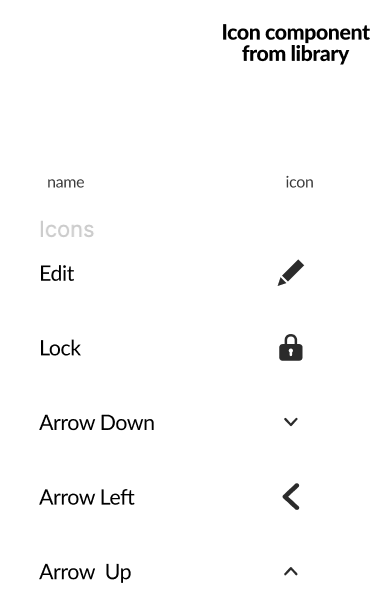
Create a table with 1px, 1.5px and 2px
library icons name and type of icons

Create icon in guide
24px guide

Create icon in Stroke and fill
create in both rounded and sharp shapes

Create stroke icon in 1px, 1.5px and 2px
To have the icon in different weight
Icon transformation Process

Remove guidelines
to create icons
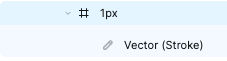
Flatten the icons
24px guide
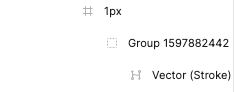
Remove extra groups
One icon in frame

Keep transparence in icon
Crosscheck there is no stroke

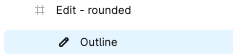
Vector into outline stroke
vectorise strokes

Icon in 24px Frame
rounded and sharp shapes

Make icons into union
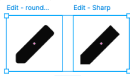
Name your icon properly
Name as per there previous name
Final test check
Icon check in illustrator
Each type of icon have have 1 layer each.


Outline Icons
Filled Icons


